How to Use and Activate Hostinger Business Email Coupon Codes:
If you want to create a professional business email address, such as info@yourdomain.com, Hostinger offers an affordable and reliable solution. This guide explains how to choose a Business Email plan, select your subscription period, and apply a coupon code to save extra money on your purchase.
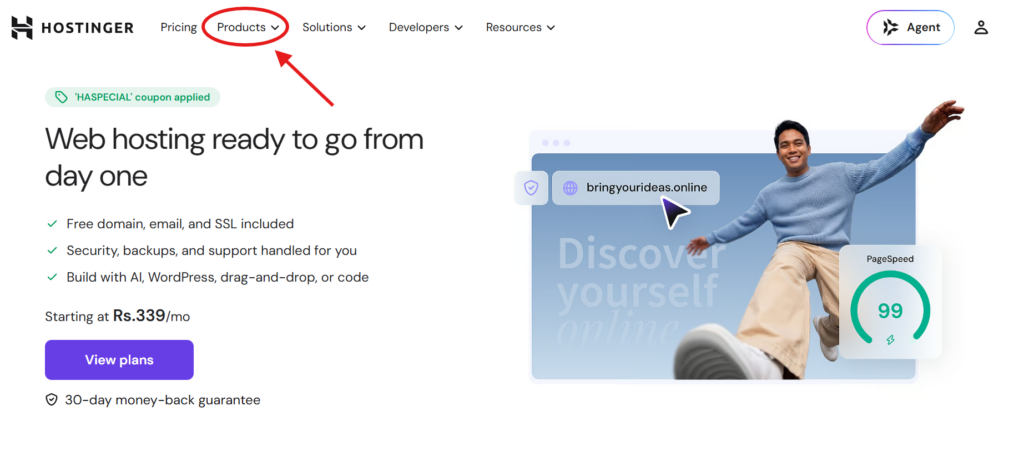
Step 1: Visit Hostinger’s Website and Open the Products Menu
First, visit Hostinger’s official website. On the homepage, locate the “Products” option in the top navigation bar and click it to explore the available services.
Step 2: Select Business Email Under “Email and Marketing”
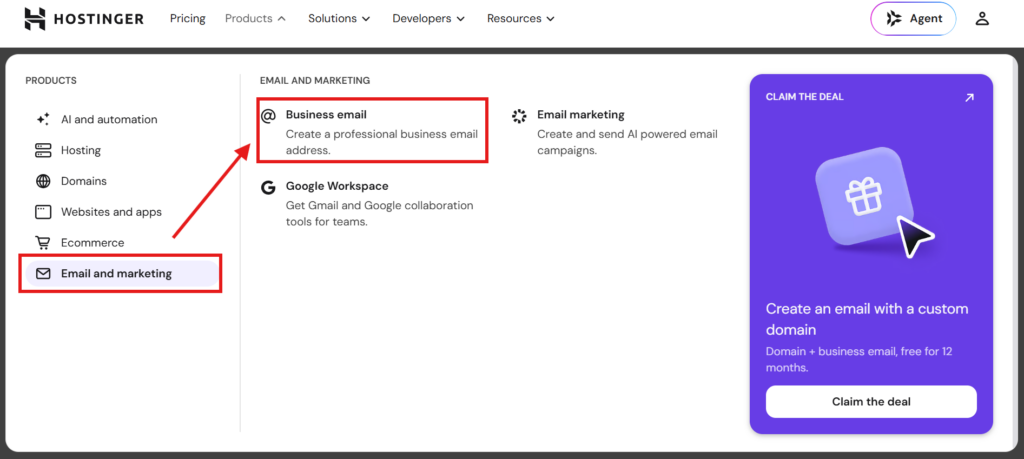
From the Products drop-down menu, select the “Email and marketing” category on the left. Then, choose “Business email” from the options displayed alongside it to access Hostinger’s email hosting plans.
Step 3: Click the “Choose Plan” Button
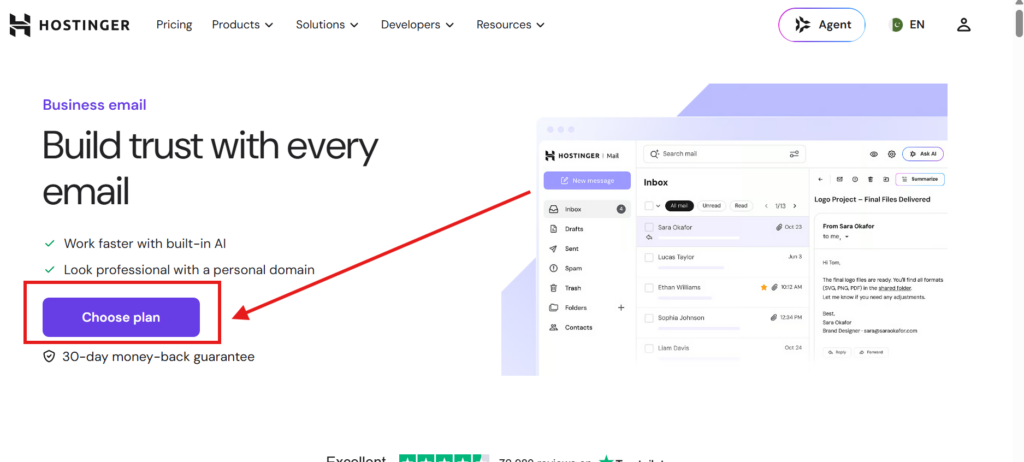
You’ll arrive at the Business Email landing page, where you can learn more about Hostinger’s professional email services. Find the purple “Choose plan” button and click it to view the available subscription options.
Step 4: Choose Your Preferred Email Plan
Hostinger may display several Business Email plans, such as Starter, Standard, and Premium, depending on the current offerings.
- Compare the available plans and select the one that best suits your business needs.
- Click the “Choose plan” button beneath your preferred option.
- If available, use the billing-period selector near the top of the page to compare different subscription durations.
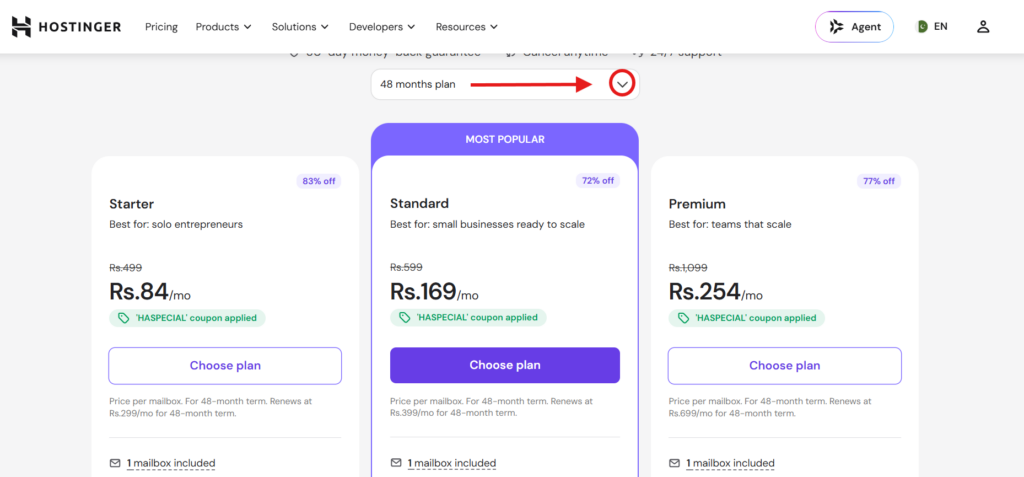
Step 5: Select Your Billing Period
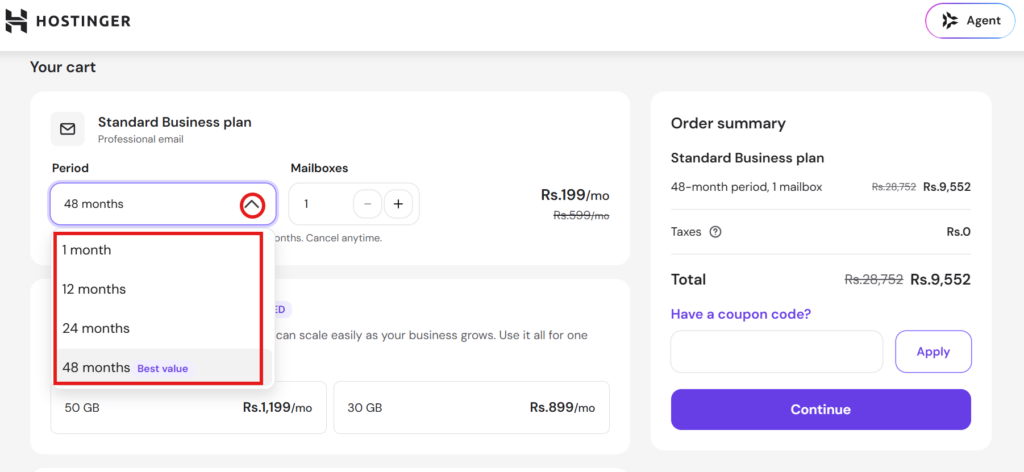
On the cart page, choose how long you want your Business Email subscription to last. Available options may include 1, 12, 24, or 48 months, depending on the current offer.
- Compare the total cost and available savings for each billing period.
- Select your preferred subscription duration.
- Adjust the number of email mailboxes using the plus (+) or minus (−) controls, if this option is available.
Longer subscriptions may offer lower monthly rates, so review the total price before proceeding.
Step 6: Enter Your Coupon Code
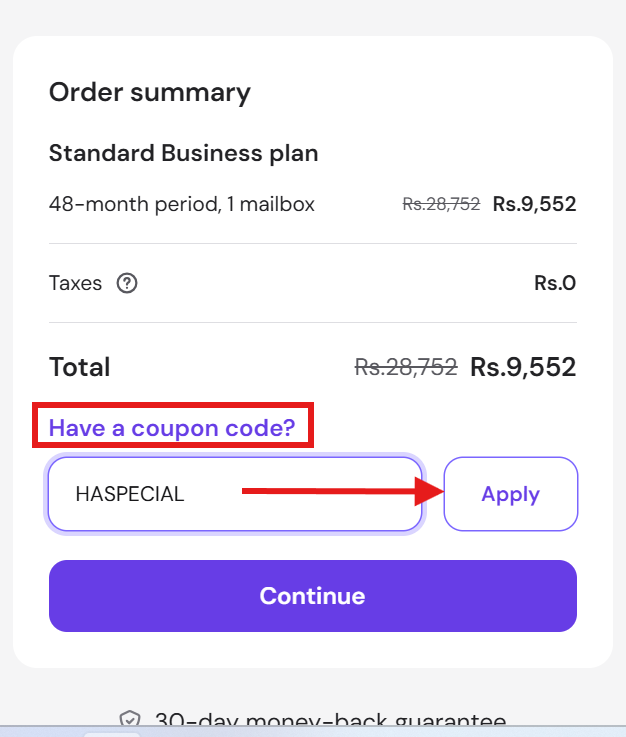
Look for the “Order summary” section on the right side of the checkout page. Beneath the pricing details, find and click “Have a coupon code?”
A text field should appear. Enter your HostAdvice coupon code, such as HASPECIAL, and click “Apply” to activate the eligible discount.
Step 7: Verify Your Discount and Continue
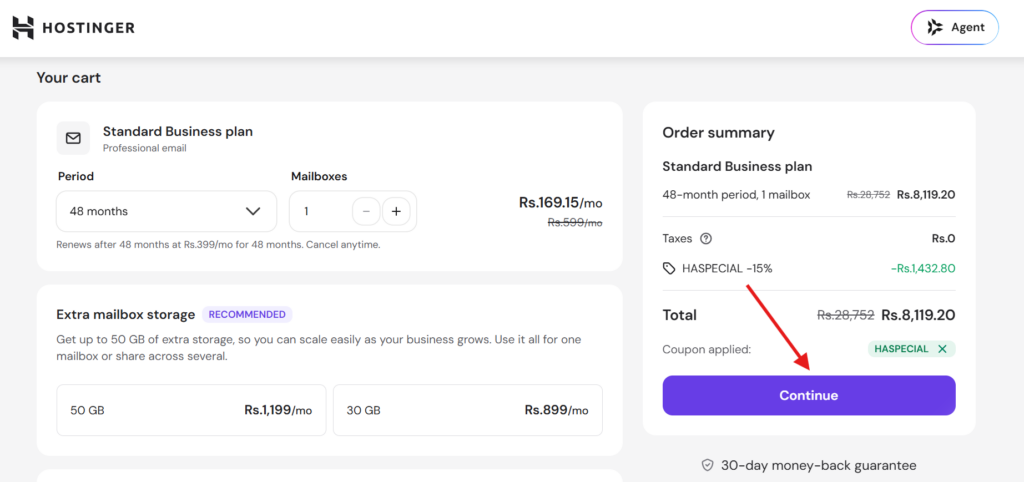
After applying the coupon, review the updated order summary to confirm that the discount has been applied successfully.
- Check the final price and subscription duration.
- Make sure the expected coupon savings appear in the order summary.
- Once everything looks correct, click the purple “Continue” button to proceed.
Step 8: Create Your Account or Log In
You’ll then be prompted to access your Hostinger account.
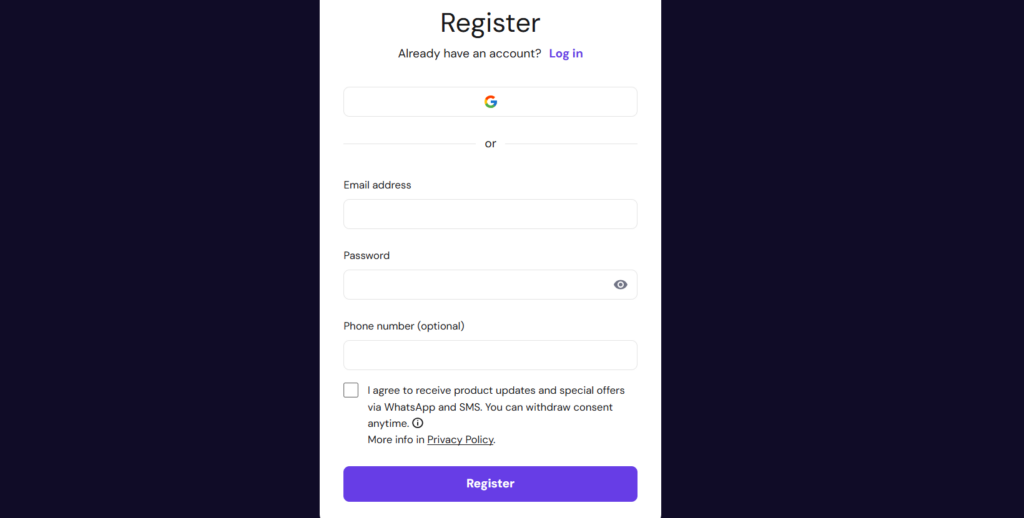
- New customers: Enter your email address and create a password, or use an available third-party sign-up option, such as Google.
- Existing customers: Click “Log in” and enter your account credentials to continue.
Follow the remaining on-screen instructions to complete the checkout process and finalize your Business Email purchase.
Note: Hostinger’s plan names, billing options, checkout layout, and coupon eligibility may change. Make sure the instructions and screenshots match the options currently displayed on your checkout page.
What to Do When a Hostinger Email Coupon Code Doesn’t Work
If your Hostinger email coupon code fails at checkout, try these simple troubleshooting steps to identify and resolve the problem:
Verify the coupon code: Make sure you are using the correct code. If the discount requires a special promotional link, open the correct link before proceeding to checkout.
Check for typing errors: When entering a code manually, look for spelling mistakes, extra spaces, or incorrect characters.
Clear your browser cache: Remove cached data or open an incognito window to see if the issue is related to your browser.
Check the expiration date: Some promotional codes are available only for a limited period, so confirm that your coupon is still valid.
Review the coupon conditions: Ensure the discount applies to your selected Business Email plan and that you meet any eligibility requirements.
Contact customer support: If the code still doesn’t work, reach out to Hostinger support for help identifying the issue.
Tips for Maximizing Savings With Hostinger Email Coupon Codes
Choosing the right subscription and using promotions strategically can help you reduce your business email expenses. Consider these tips before making a purchase:
Choose a longer subscription: Long-term plans can offer better overall value than paying month by month. For example, a four-year plan priced at $191.52 costs less than four years of monthly payments totaling $239.52, saving you $48 over the same period.
Watch for seasonal promotions: Check Hostinger’s promotional offers during major shopping events, such as Black Friday, when additional discounts may become available.
Read the coupon terms carefully: Review the eligible products, discount conditions, and subscription duration before completing your order.
Compare the total cost: Don’t focus solely on the advertised discount. Calculate the full subscription cost to determine whether the plan fits your budget.
Check renewal details: Review the applicable renewal terms so you understand what you may pay when your subscription period ends.
Limitations and Restrictions of Hostinger Email Coupon Codes
Although Hostinger email coupons can lower your initial purchase cost, certain restrictions may affect how and when you can use them.
New purchases may be required: Some coupons are limited to new Business Email subscriptions and may not apply to existing plans or renewals.
Renewal pricing can differ: Promotional pricing may not remain available when you change plans or purchase another subscription. Always verify the renewal terms shown during checkout.
Add-ons may be excluded: Discounts for Business Email plans generally do not automatically cover additional products or optional services.
Product eligibility matters: A coupon designed for one Hostinger service may not work with another service, even if both appear in the same account.
Additional conditions may apply: Certain offers may have minimum subscription periods, regional restrictions, or other eligibility requirements.
Other Coupons and Deals Offered by Hostinger
Beyond Business Email discounts, Hostinger provides promotional offers across several products. Exploring the available deals may help you save on other services for your website.
Domain registration discounts: Promotional codes may reduce the initial cost of registering eligible domain extensions. Check the offer details and standard renewal rates before purchasing.
WordPress hosting coupons: These promotions are designed for eligible WordPress hosting plans. They generally cannot be used for unrelated products, such as VPS hosting.
Website builder discounts: Eligible website builder plans may qualify for promotional pricing, helping you create and manage a website at a lower initial cost.
Holiday promotions: Events such as Black Friday and other seasonal sales may feature discounts on selected Hostinger products. The actual savings depend on the promotion and plan.
Web hosting offers: Shared, cloud, and other hosting packages may have separate discounts, so choose a coupon that matches the service you intend to purchase.
Hostinger Quick Rundown
Hostinger provides a range of services for individuals, entrepreneurs, and businesses looking to establish an online presence.
Web hosting: Offers shared, cloud, VPS, and WordPress hosting solutions for different website requirements.
Business email: Provides email hosting options for businesses that want to communicate using a professional domain.
Domain registration: Allows users to register domain names, with promotional pricing available on selected extensions and offers.
Website builder: Includes tools for creating and managing websites without requiring extensive coding knowledge.
Website migration: Eligible hosting plans may include website migration services to simplify the process of moving an existing site.
Free domain offers: Some qualifying hosting subscriptions include a domain for the initial eligible period, subject to the plan’s terms.
Before purchasing, compare the available plans, verify the coupon’s eligibility, and review the full pricing details. This will help you choose a Hostinger service that meets your needs while making the most of any available discounts.