
Bluehost Google Workspace Coupons and Promo Codes November 2026
Save more with the latest Bluehost coupon codes and Google Workspace deals. Discover exclusive promotional offers on business email hosting, cloud storage, video conferencing, and productivity tools. Whether you’re a small business, freelancer, or growing team, these discounts can help you access essential Google Workspace features at a lower cost. Compare available Bluehost promo codes, explore eligible plans, and find affordable solutions for better communication, collaboration, and workflow management. Take advantage of current offers to maximize value while keeping your business technology expenses under control.

68% OFF
68% OFF
68%OFF



| Description | Discount | Coupon Code |
|---|---|---|
| Web Hosting Deal + Free Domain | 68% OFF | SAVE10BH |
| WordPress Hosting + Free Domain | 68% OFF | SAVE10BH |
| VPS Hosting Savings on Yearly Plans | 59% OFF | SAVE10BH |
| Dedicated Server Hosting Deal | 33% OFF | SAVE10BH |
| n8n Automation Hosting Discount | 59% OFF | SAVE10BH |
| OpenClaw VPS Hosting Offer | 59% OFF | SAVE10BH |
| AI Agent Hosting Savings | 59% OFF | SAVE10BH |
- Note
Bluehost offers HostAdvice readers an extra opportunity to save with the SAVE10BH coupon code. Apply it at checkout to unlock total discounts of up to 68% OFF on eligible Web Hosting and Managed WordPress plans, or up to 55% OFF on qualifying VPS Hosting plans. These savings include the additional 10% coupon discount. Please note that SAVE10BH is valid only for eligible one-year hosting plans.
How to Apply and Activate Bluehost Google Workspace Coupon Codes
Redeeming a Bluehost Google Workspace coupon is simple and takes only a few steps. Depending on the promotion, you may see a Copy Code or Show Deal option. Click Show Code to reveal the discount code, copy it, and enter it in the appropriate field during checkout. If the offer displays Show Deal, click it to visit Bluehost through the promotional link, which may automatically apply the available deal to your purchase. Before completing your order, review the final price to ensure the discount has been applied successfully.
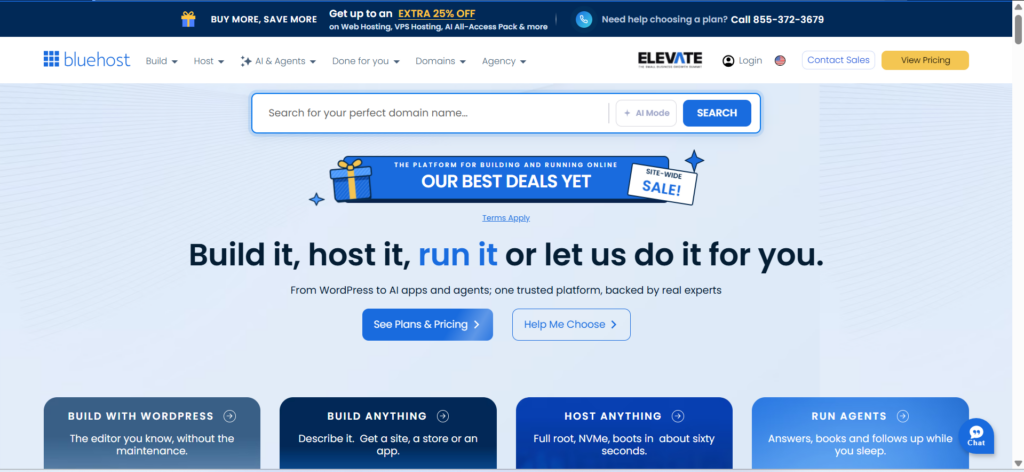
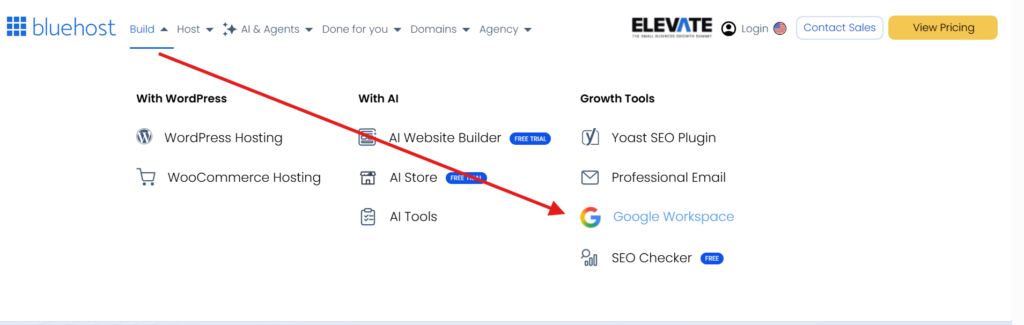
To get started, visit the official Bluehost website and open the Hosting drop-down menu. Navigate to the Email and Productivity section and select Google Workspace to explore available plans and features. Choose the subscription that best suits your needs and continue to checkout to complete your purchase.
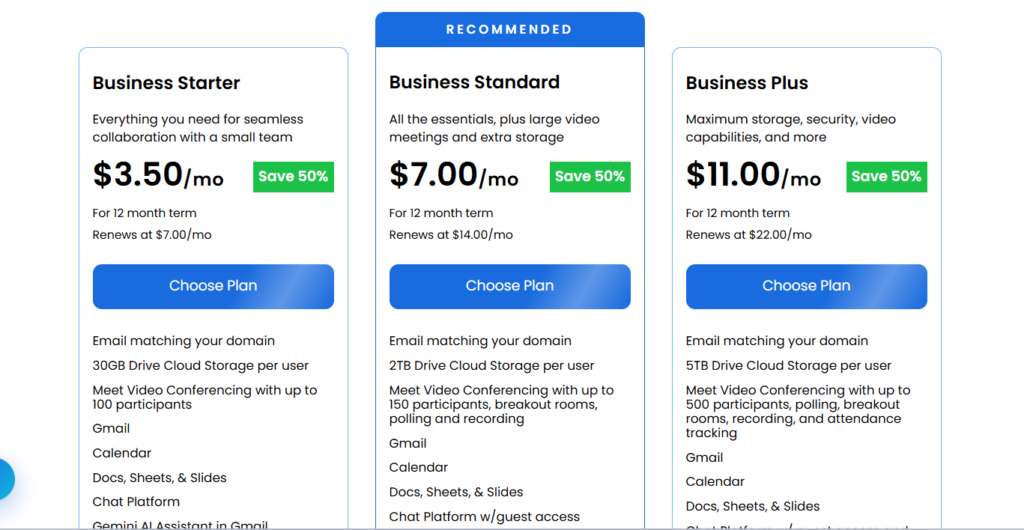
Explore the the Google Workspace plan that matches your needs, then click ‘Choose Plan’ to get started.

After finding the right Google Workspace package, click the corresponding Choose Plan button on the Bluehost website to proceed with your purchase.
The next step is to select the domain for your professional email address. This domain will appear after in yourdomain.com. Choose a domain name that reflects your business identity, website, or personal brand to create a professional and recognizable email address.
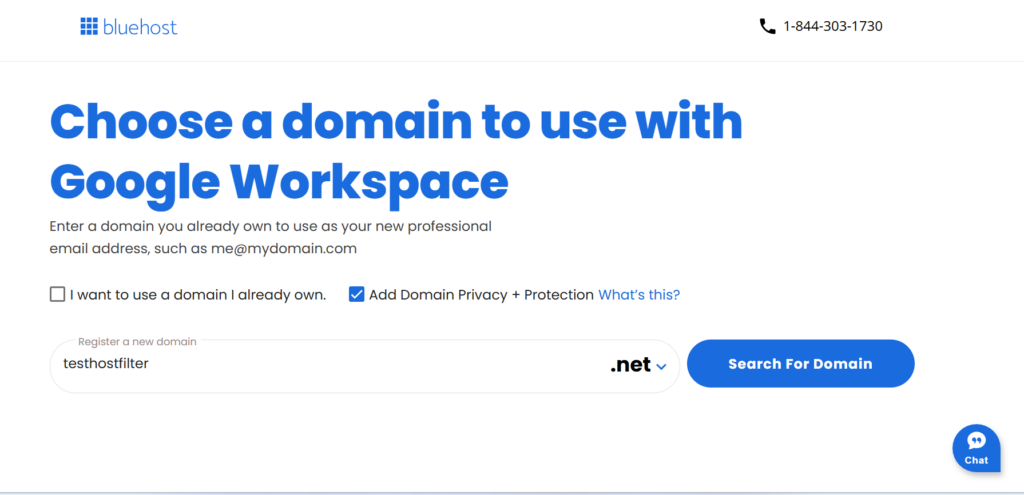
If you haven’t registered a domain yet, enter your desired domain name in the search field on the Bluehost website and select an extension such as .com. Click Search for Domain to check whether your preferred name is available. For added privacy, consider keeping Domain Privacy + Protection enabled, as it helps protect your personal details from being publicly displayed in domain registration records.
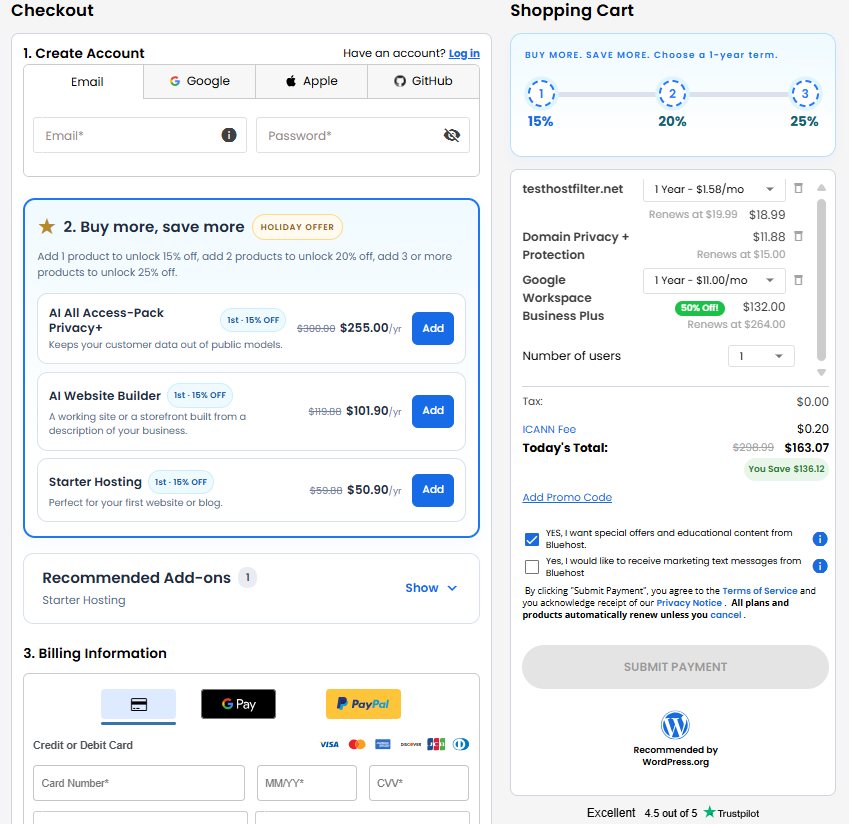
At checkout, review your selected Google Workspace plan and order details. Locate the ‘Add a Promo Code’ field, paste your Bluehost Google Workspace coupon code into the box and click Apply.
For deal-based promotions, the discount may be applied automatically without requiring a code. Check your order summary to make sure the promotion has been reflected before completing your purchase.
Finally, choose your available payment method, review the order information, and complete the purchase to activate your Google Workspace service.
What to Do When Your Bluehost Google Workspace Coupon Fails
If your Bluehost Google Workspace discount code isn’t working, try these troubleshooting steps before completing your purchase.
- Verify the coupon code: Check for typing errors and ensure all letters, numbers, and characters match the original code.
- Read the promotion requirements: Some discounts may be restricted to specific Google Workspace plans or first-time customers.
- Check the expiration date: Promotional codes may stop working when their validity period ends or the offer is withdrawn.
- Confirm plan eligibility: Make sure your selected Google Workspace subscription meets the coupon’s requirements.
- Reload the checkout page: Refresh the page or switch to another browser if the discount does not appear.
- Contact Bluehost support: If the issue continues, ask the support team to verify the coupon’s validity and eligibility for your order.
Can You Apply Multiple Coupon Codes at Bluehost?
Bluehost generally allows only one promotional code per order, meaning multiple discount codes may not be combined. If you have several Google Workspace offers, compare their terms and savings to find the best deal for your chosen subscription.
Some promotions may already include automatic discounts or additional benefits. Review your order summary carefully to confirm the final price and included services before completing your purchase.
Are Bluehost Google Workspace Deals Available to Existing Customers?
Bluehost promotions vary according to the offer, product, and customer account. While certain discounts are designed for new customers, existing users may also find special deals when upgrading subscriptions or adding services.
If you already use Bluehost, check your account dashboard and current promotions before purchasing Google Workspace. Comparing available offers can help you find a suitable option for your business needs and budget.
Bluehost Google Workspace Discounts and Special Offers
Bluehost may introduce different promotions throughout the year. Understanding the available deal types can help you identify an offer that matches your requirements.
- Seasonal deals: Special savings may appear during major holidays, shopping events, or limited-time promotional campaigns.
- New customer promotions: Certain discounts may be available exclusively to customers purchasing eligible services for the first time.
- Bundled packages: Some offers may combine Google Workspace with other Bluehost products or services for added value.
- Subscription-specific discounts: Promotions may apply only to selected Google Workspace plans, so check the offer conditions before checkout.
Always review the promotional terms to understand eligibility requirements, validity periods, and any restrictions before placing your order.
Bluehost Google Workspace: An Overview
Bluehost Google Workspace provides businesses and professionals with access to Google’s productivity tools alongside a professional email setup. Depending on the selected subscription, features may include custom-domain email, cloud storage, online meetings, shared calendars, and collaborative document editing.
These tools help freelancers, small businesses, and growing teams manage communication, organize files, and collaborate more efficiently.
Using an eligible Bluehost Google Workspace coupon can also help reduce your initial expenses, making it easier to establish a professional digital workspace without stretching your budget.

Frequently Asked Questions
A Bluehost Google Workspace coupon is a promotional code or special deal that may help you save money when purchasing an eligible Google Workspace subscription through Bluehost. Depending on the offer, you may receive discounted pricing or other promotional benefits.
To redeem a coupon, visit the Bluehost website, select an eligible Google Workspace subscription, and continue to checkout. If a promo code field is available, enter your coupon and click Apply. Before completing your order, check the price summary to ensure the discount has been applied successfully.
Yes, some Bluehost promotions may cover Google Workspace subscriptions, but not every coupon applies to this service. Certain codes may be limited to hosting plans or other products. Review each offer’s conditions to confirm that it is valid for your selected Google Workspace plan.
Existing customers may qualify for certain Google Workspace promotions, depending on the offer’s eligibility requirements. While some discounts are reserved for new customers, others may cover subscription upgrades or additional services. Check the promotion details before making a purchase to determine whether your account qualifies.
In most cases, multiple promotional codes cannot be applied to the same order. If you find several Bluehost Google Workspace deals, compare their discount amounts, eligibility requirements, and additional benefits. Selecting the most valuable eligible offer can help you get better savings on your subscription.
If your coupon is rejected at checkout, review the code and its conditions before trying again. Make sure the code has been entered correctly, your chosen subscription qualifies, and the promotion remains active. You can also refresh the checkout page and reapply the code. If the problem persists, contact Bluehost customer support for further assistance.
You can look for Bluehost Google Workspace promotions on reputable coupon websites and through Bluehost’s official website. Compare the available deals, check their expiration dates, and read the eligibility requirements before using a code. Always verify that the discount appears in your order summary before completing your purchase.
- Bluehost Google Workspace Coupons & Promo Codes
- Bluehost AI Receptionist Coupons & Promo Codes
- Bluehost AI Website Builder Coupons & Promo Codes
- Bluehost Claude Code VPS Coupons & Promo Codes
- Bluehost Agent Hosting Coupons & Promo Codes
- Bluehost Cloud Hosting Coupons & Promo Codes
- Bluehost n8n Hosting Coupons & Promo Codes
- Bluehost OpenClaw Coupons & Promo Codes
- Bluehost Email Coupons & Promo Codes
- Bluehost India Coupons & Promo Codes
- Bluehost Domain Coupons & Promo Codes
- Bluehost Node.js Hosting Coupons & Promo Codes
- Bluehost Student Discount Coupons & Promo Codes
- Bluehost Christmas Coupons & Promo Codes
- Bluehost Blog Hosting Coupons & Promo Codes
- Bluehost AI All-Access Coupons & Promo Codes
- Bluehost WordPress Hosting Coupons & Promo Codes
- Bluehost Renewal Coupons & Promo Codes
- Bluehost VPS Coupons & Promo Codes
- Bluehost Black Friday Coupons & Promo Codes