
Hosting.com WordPress Hosting Coupons and Promo Codes November 2026
Save more on WordPress hosting with the latest Hosting.com WordPress Hosting coupons and promo codes. Discover exclusive discounts, verified promo codes, and special deals on WordPress hosting plans. Whether you’re creating a personal blog, launching a business website, or managing multiple WordPress projects, Hosting.com offers reliable hosting solutions at competitive prices. Use the latest Hosting.com discount offers to enjoy affordable WordPress hosting while reducing your website expenses. Explore updated Hosting.com deals and promotional offers to find the best savings, maximize your budget, and get dependable WordPress hosting with excellent performance, security, and customer support.

78% OFF
89% OFF
89% OFF
89% OFF
58% OFF
72% OFF
89% OFF



- Note
Verpex provides attractive introductory offers, allowing new customers to save up to 90% on selected hosting packages, with discounts varying by service and subscription length. Customers can also use the HA22% promo code to receive 22% off eligible hosting plans and billing cycles. Since promotional offers cannot be combined, compare the available discounts before completing your purchase to get the best possible hosting deal.
How to Apply Hosting.com WordPress Hosting Coupon Codes
Browse the latest Hosting.com coupons and choose the discount offer that best matches your WordPress hosting requirements.
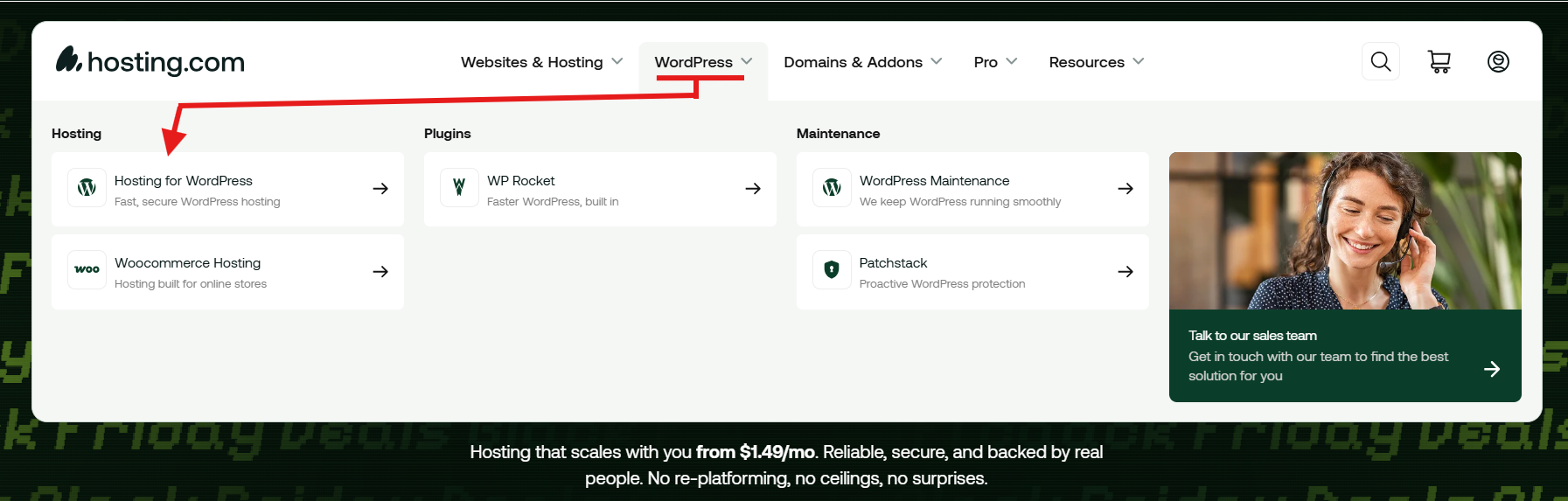
Click the “Copy Code” button to copy the promo code and visit the official Hosting.com website. Once there, open the top navigation menu, hover over “WordPress” and select “Hosting for WordPress” to explore the available plans.
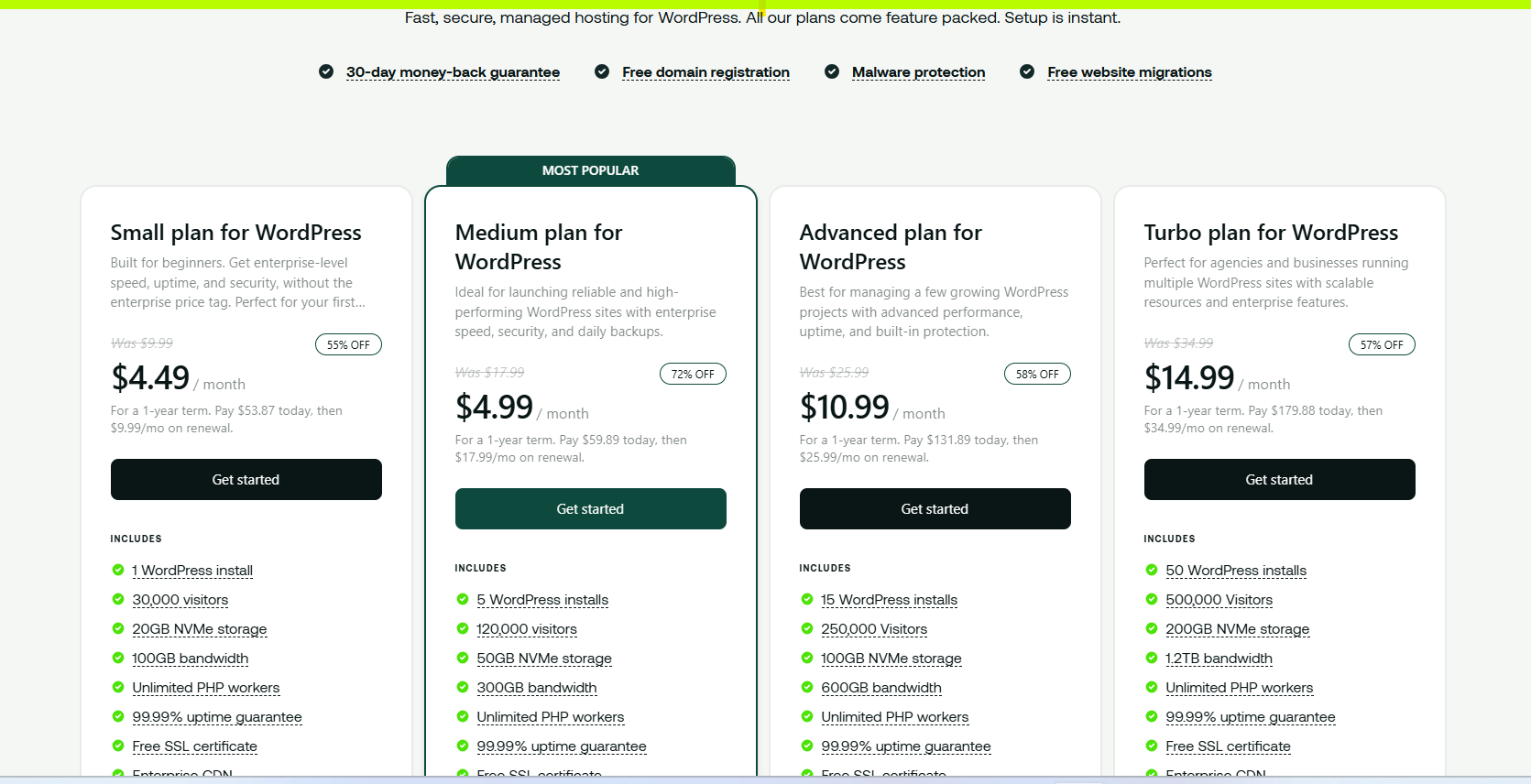
Choose Your Hosting Plan
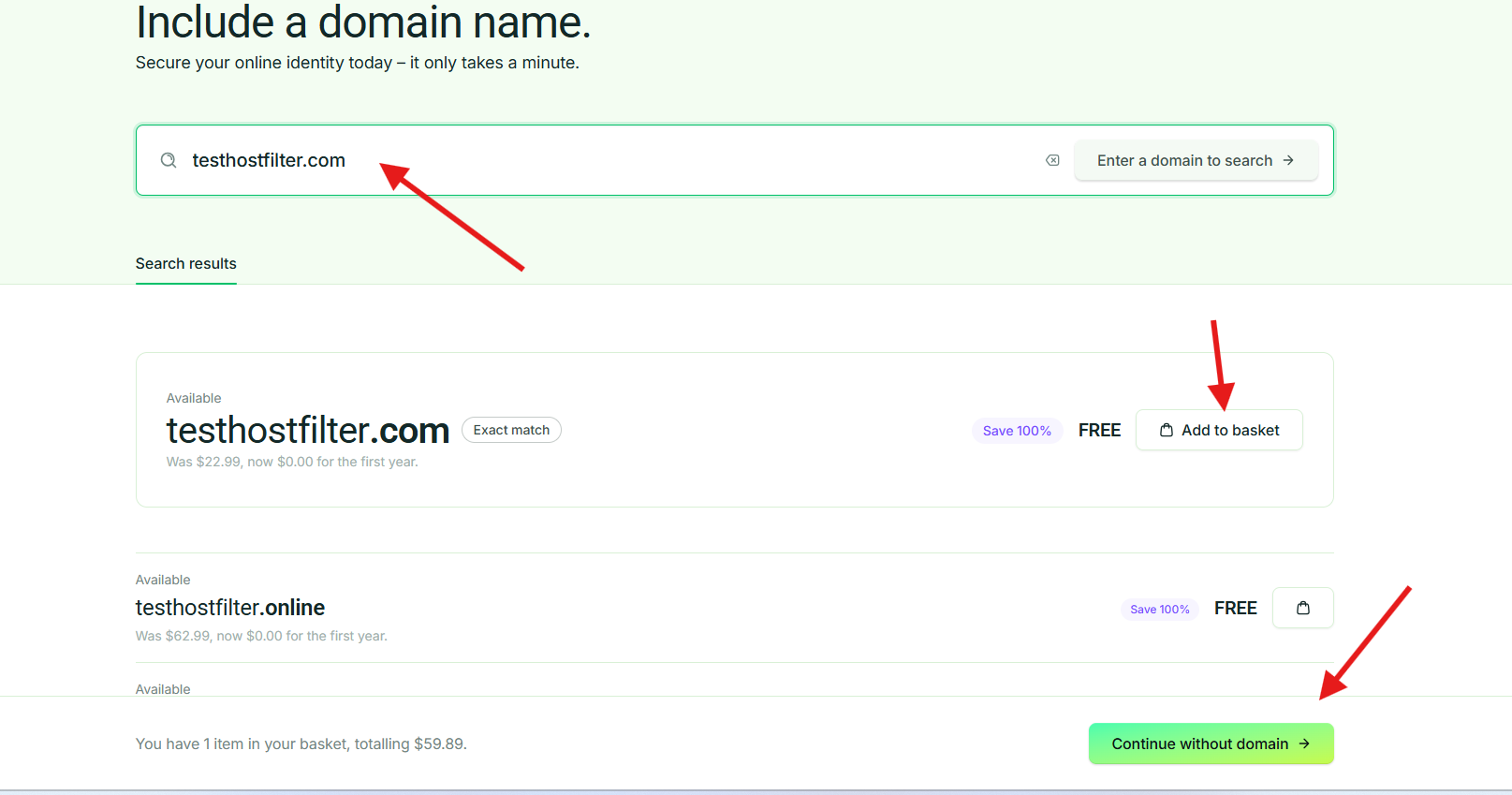
Search and Select Your Free Domain
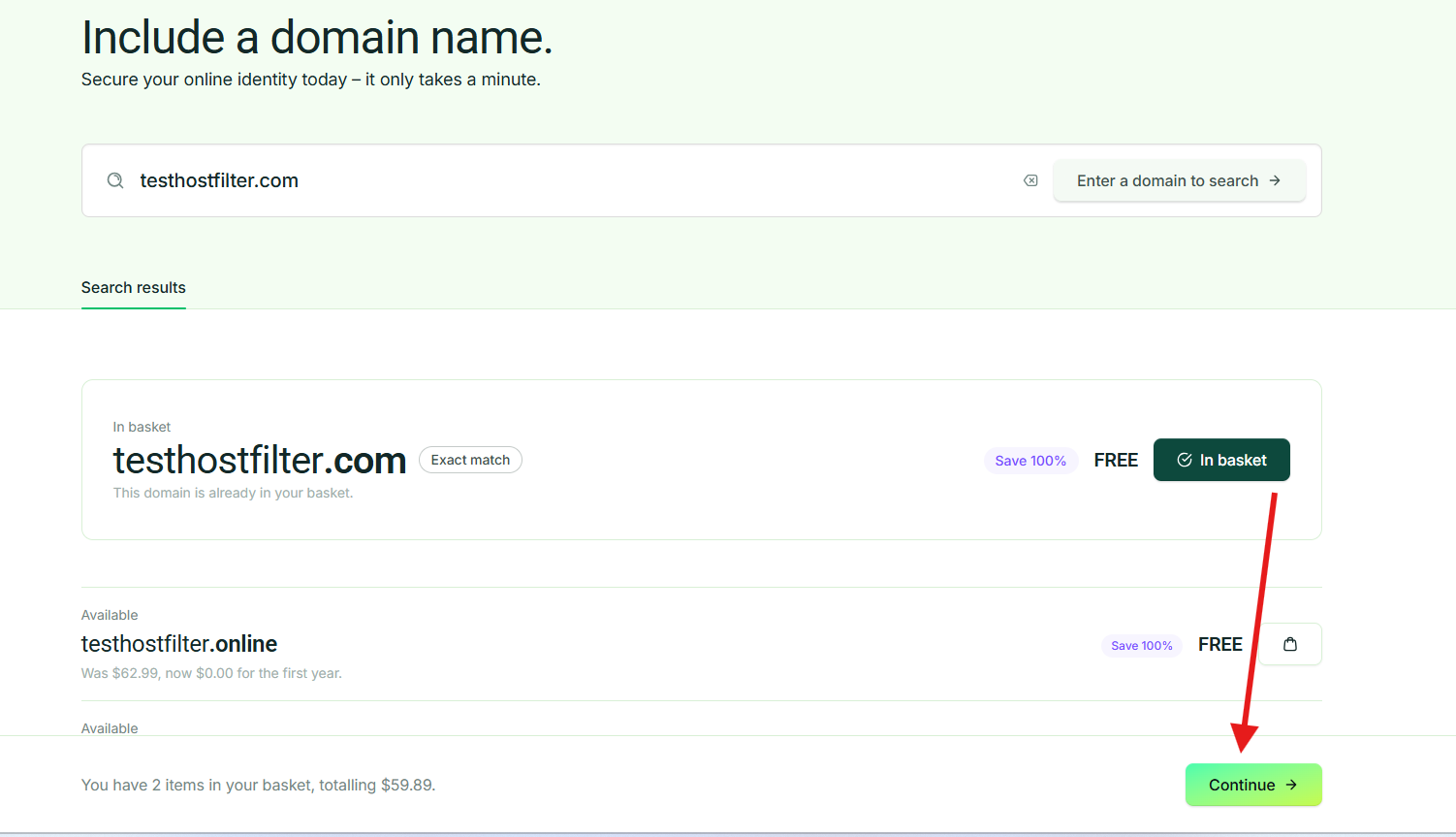
Confirm Your Domain Selection
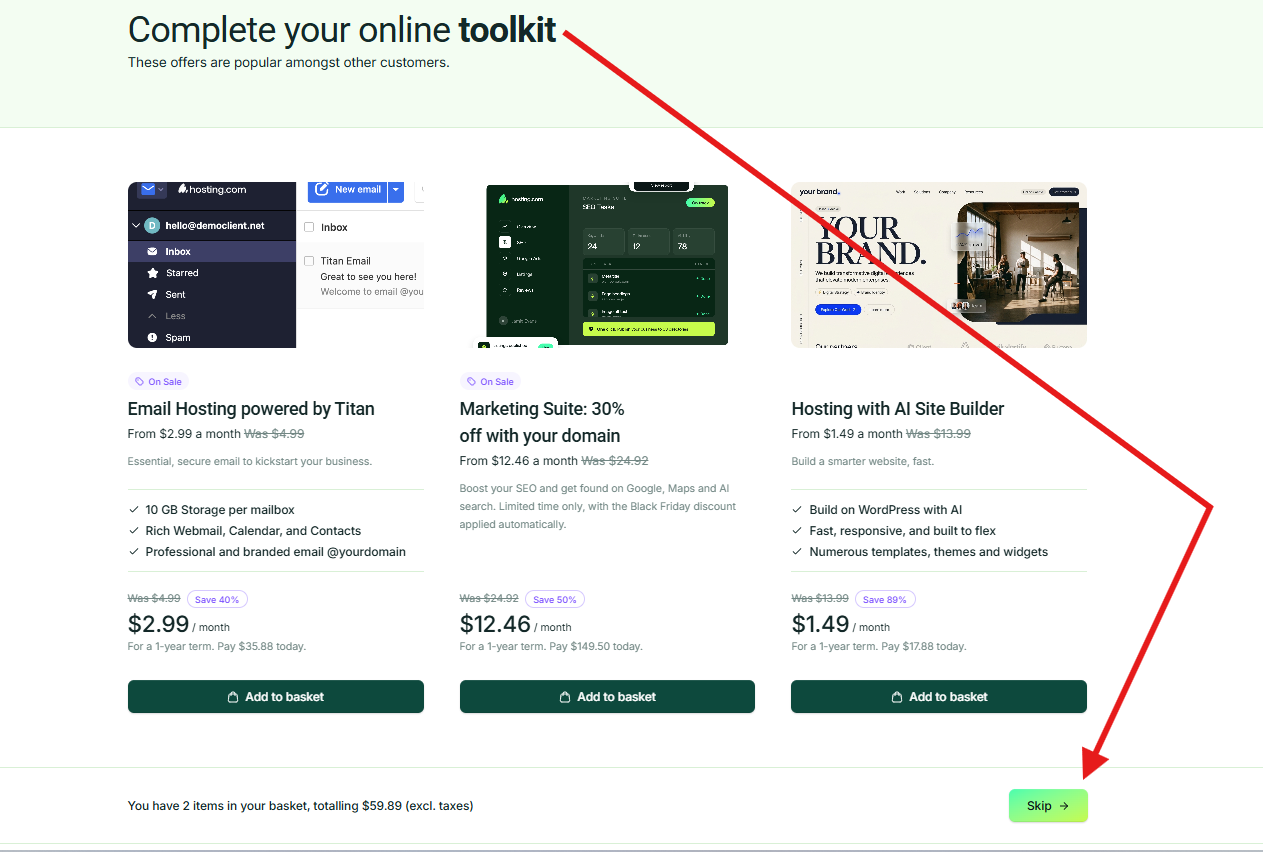
Skip Optional Add-ons
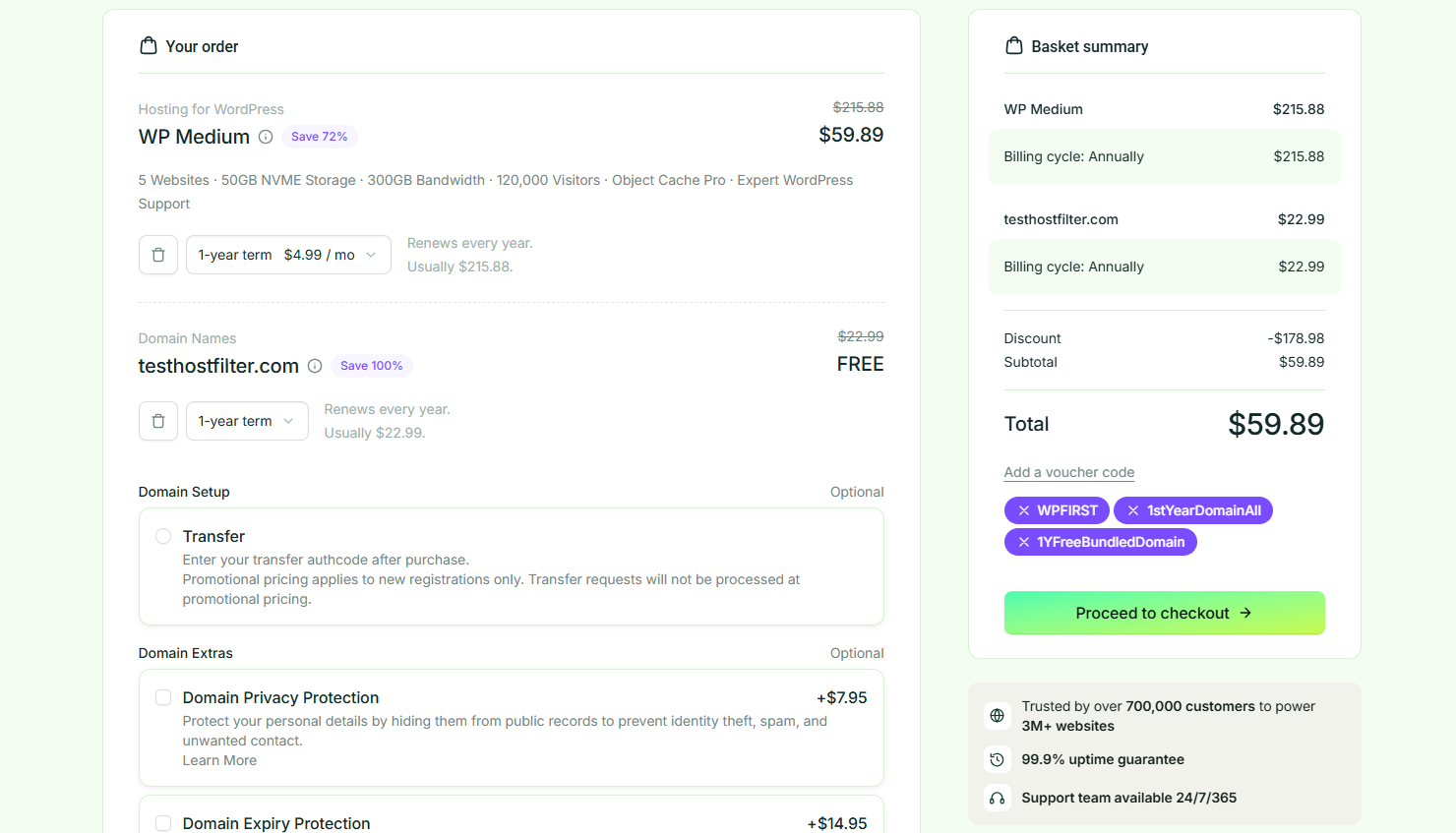
Review Your Order Summary
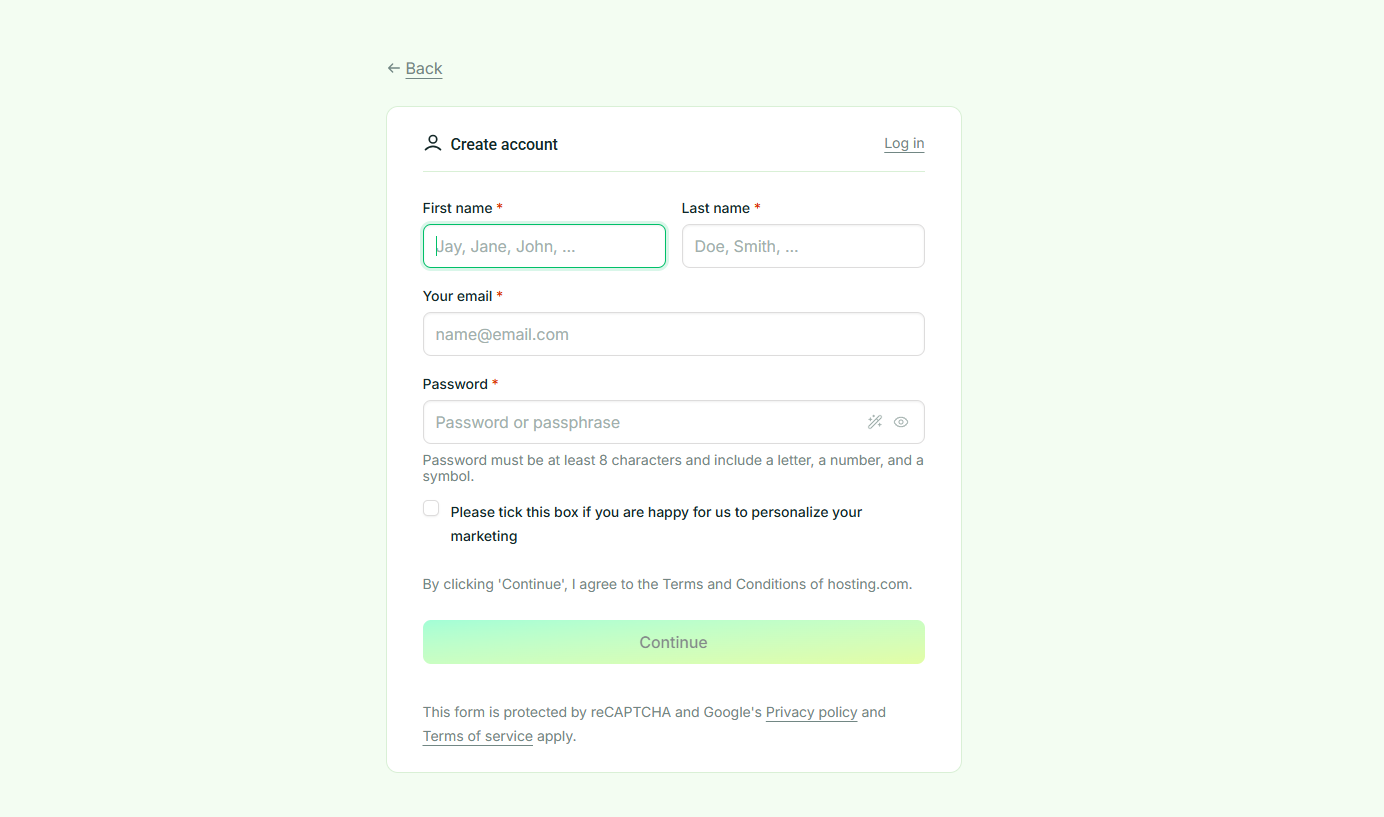
Create Your Account
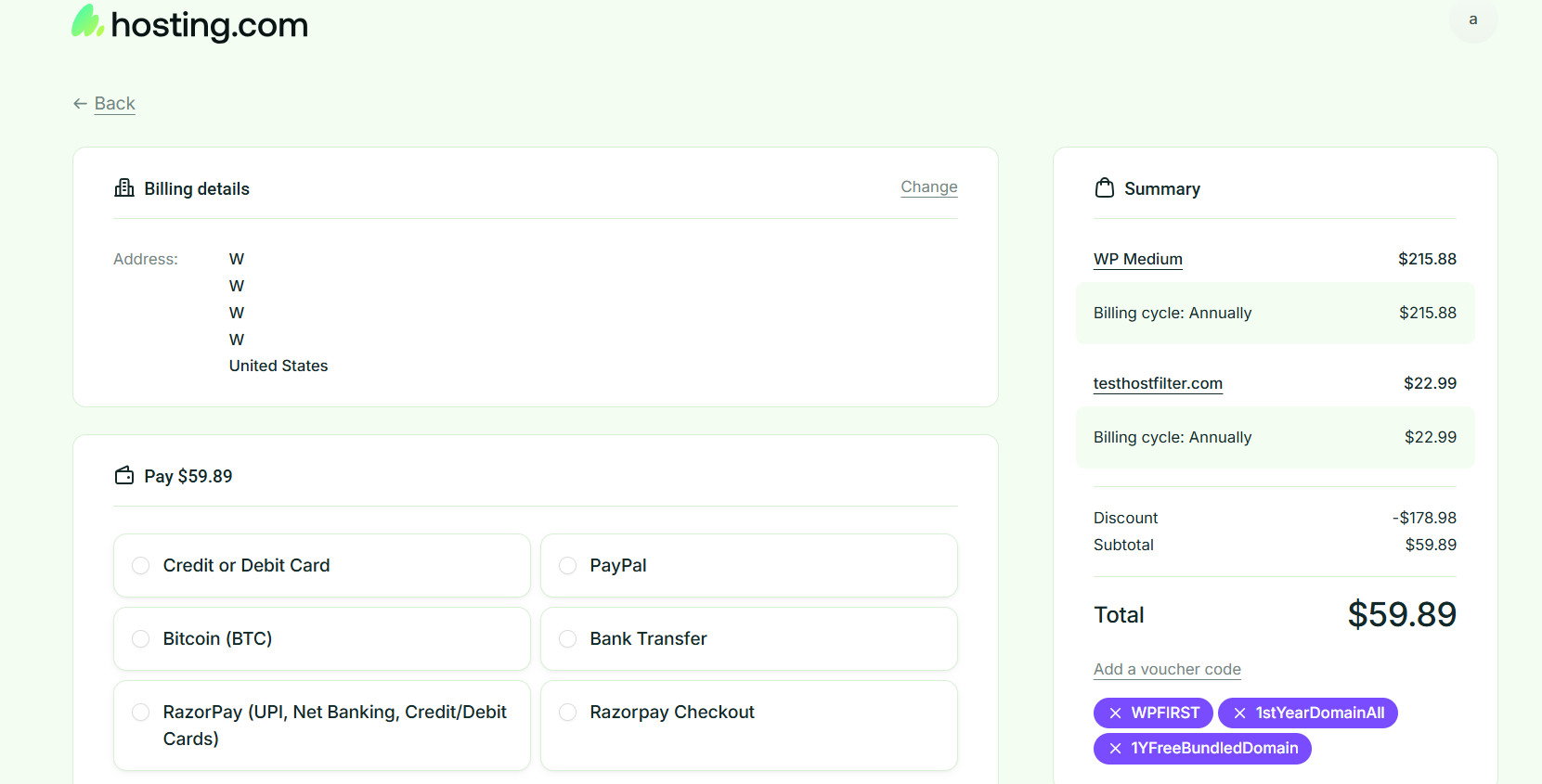
Complete Your Billing and Payment
What to Do If Your Hosting.com WordPress Hosting Coupon Doesn’t Work
If your Hosting.com WordPress hosting discount isn’t working, there are several simple steps you can try before completing your purchase. First, check whether the selected offer requires a promo code or activates automatically through the coupon link.
- Verify the Discount Link: Make sure you accessed the correct Hosting.com promotional offer, as some discounts are applied automatically.
- Review Your Order Summary: After selecting a WordPress hosting package, check the checkout summary to see whether the discount has been deducted.
- Check Plan Eligibility: Certain promotional offers may apply only to specific WordPress hosting packages or subscription options.
- Meet Purchase Requirements: If the promotion has minimum purchase conditions, ensure your selected order meets those requirements.
- Refresh Your Browser: Clear your browser cache, reload the checkout page, or try accessing the offer through another browser.
- Contact Customer Support: If the problem continues, reach out to Hosting.com’s support team for help with the discount or available alternatives.
Can You Apply Multiple Hosting.com Coupon Codes to One Order?
Hosting.com promotional offers may have restrictions on combining discounts, so you should check the terms of each deal before purchasing. Generally, only one promotional coupon can be applied to an order when multiple-code stacking isn’t supported.
To get the best value, compare the available discounts and select the offer that provides the greatest savings on your WordPress hosting package. Also, consider the subscription duration and final checkout price before making your decision.
Are Hosting.com WordPress Hosting Discounts Available for Existing Customers?
Hosting.com promotions may be available to both new and existing customers, although certain introductory offers are restricted to first-time purchases. Existing users can look for selected renewal promotions, upgrade deals, and seasonal discounts when managing their hosting accounts.
For the latest opportunities, check your Hosting.com account dashboard and subscribe to promotional email updates. This can help you stay informed about new offers and potential savings on future hosting purchases.
Hosting.com Overview: Services, Performance, and Benefits
Hosting.com offers a variety of web hosting solutions, including WordPress, Shared, VPS, and Dedicated Hosting. Its hosting services are designed to support different types of websites, from personal blogs and small business projects to growing online platforms.
Depending on the package, customers can access features such as SSD storage, website migration assistance, security options, and 24/7 customer support. These services make Hosting.com an option worth considering for users looking for dependable hosting, website performance, and flexible hosting packages at competitive prices.
Frequently Asked Questions
Hosting.com WordPress hosting packages come with several features designed to improve website speed, security, and overall performance. Depending on the selected plan, users can benefit from fast NVMe storage, free website migration, daily backups, SSL certificates, Jetpack security tools, and LiteSpeed caching. These features help WordPress websites load efficiently while providing additional protection and easier website management.
Hosting.com regularly updates its promotional offers throughout the year, including seasonal campaigns, holiday specials, and limited-time hosting discounts. The availability and discount amounts may vary depending on the promotion. To find the latest savings, visit the Hosting.com website frequently or subscribe to its newsletter for updates about new deals and special offers.
Yes, Hosting.com WordPress hosting is a suitable option for beginners who want to create and manage a website without advanced technical knowledge. Features such as one-click WordPress installation, a user-friendly control panel, and 24/7 customer assistance make website setup and management easier. New users can get their WordPress websites running without dealing with complicated server configurations.
Yes, Hosting.com offers managed WordPress hosting designed to simplify website maintenance and administration. Depending on the selected package, managed services can include WordPress updates, security management, and performance optimization. This allows website owners to spend more time creating content, managing their businesses, and growing their online presence instead of handling routine technical tasks.
Hosting.com provides various security features to help protect WordPress websites against common online threats. Depending on the hosting package, available protection may include free SSL certificates, DDoS protection, malware scanning, and firewall security. These tools help safeguard website data, protect visitor connections, and reduce potential security risks while maintaining a safer hosting environment.

- Hosting.com VPS Hosting Coupon Codes
- Hosting.com Dedicated Server Coupons & Promo Codes
- Hosting.com Domain Hosting Coupons
- Hosting.com Email Hosting Coupons
- Hosting.com Linux Hosting Coupons & Promo Codes
- Hosting.com Renewal Coupon Codes
- Hosting.com Reseller Hosting Coupons & Promo Codes
- Hosting.com Shared Hosting Coupons & Promo Codes
- Hosting.com WordPress Hosting Coupons
- hosting.com Coupons and Promo Codes